
Immersive Onboarding Simulations: Faster Employee Ramp-Up With XR and AI

Immersive onboarding simulations help companies turn the first weeks of employment into active practice. Instead of asking new hires to absorb policies, watch videos, and wait for real work to test their confidence, a simulation lets them rehearse the moments that matter: customer conversations, safety decisions, software workflows, product explanations, team handoffs, and leadership expectations.
For Mimic Business, this topic sits naturally between XR corporate training, AI avatars, conversational AI, simulation design, 3D environments, motion capture, and learning analytics. The goal is not to make onboarding look futuristic. The goal is to help people become useful, safe, and confident faster, while giving managers clearer evidence of where support is needed.
This guide explains when immersive onboarding is worth building, how XR and AI work together, which data is needed, what mistakes to avoid, and how to measure whether the program improves ramp-up rather than simply adding a new training channel.
Table of Contents
What Immersive Onboarding Simulations Are
An immersive onboarding simulation is a structured practice environment where a new employee learns by doing. It can run on a desktop, headset, mobile device, or blended XR setup. The employee may walk through a virtual workplace, speak with an AI customer, complete a safety decision, practice a service recovery moment, or follow a procedure with a digital guide.
The important difference is realism with feedback. A normal onboarding course explains what should happen. A simulation asks the employee to act, then shows whether the action matched company standards. That makes onboarding closer to real performance, especially for roles where judgment, confidence, communication, or process accuracy matter.
This approach builds on the same logic behind AI avatars for corporate training, where digital humans can coach, role-play, assess, and guide learners through realistic business moments.
Why Onboarding Needs Practice, Not Only Content
Most onboarding programs are overloaded with information. New hires receive policies, slide decks, org charts, product notes, system walkthroughs, brand messages, and compliance requirements in a compressed timeline. The problem is not that the information is useless. The problem is that information alone does not create readiness.
Employees become ready when they can apply knowledge under realistic conditions. A sales hire must handle discovery questions. A manager must give feedback. A support agent must de-escalate frustration. A technician must follow a procedure without skipping a critical step. A healthcare, finance, or industrial employee may need to recognize risk before it becomes expensive.
Immersive onboarding gives people a safe place to make first mistakes. It also gives managers a better view than course completion. Instead of seeing who clicked through a module, they can see where learners hesitated, which decisions improved, and which moments require coaching.

XR Plus AI: How the Learning Loop Works
XR gives the onboarding experience spatial context. It can recreate a store, office, factory line, service desk, boardroom, lab, showroom, or customer environment. AI gives the experience responsiveness. It can adjust the conversation, present a new objection, ask follow-up questions, summarize performance, or change the difficulty after each attempt.
A useful onboarding loop has five parts: scenario, action, feedback, repeat practice, and manager insight. The scenario should mirror a real job moment. The action should require the employee to decide or communicate. Feedback should be tied to an approved rubric. Repeat practice should help the learner improve. Manager insight should translate performance data into coaching.
This is where conversational AI for employee training becomes more valuable than a static assistant. The AI is not only answering questions; it is helping the employee practice the business behavior that should improve after onboarding.
Benefits for Employees, Managers, and Operations
The strongest benefit is faster time to confidence. New employees can repeat important scenarios before customers, colleagues, equipment, or compliance outcomes are involved. They can hear feedback immediately and try again while the learning moment is still fresh.
For employees: safer practice, clearer expectations, more confidence, and better memory because learning is active.
For managers: earlier visibility into readiness, coaching flags, cohort gaps, and repeatable evidence instead of guesswork.
For operations: fewer preventable errors, more consistent service quality, lower trainer burden, and faster ramp-up across locations.
For leadership: a measurable onboarding system that can connect to retention, productivity, support quality, safety, and customer experience.
The result is a shift from onboarding as content delivery to onboarding as performance enablement. That aligns with the broader trend covered in AI-driven innovations in employee training, where personalization and feedback make learning more practical.
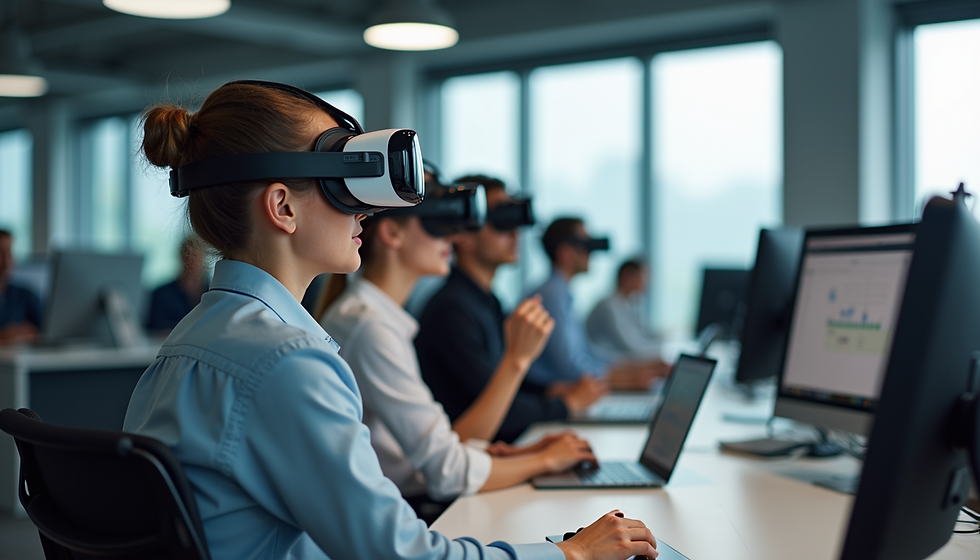
Use Cases Across the Onboarding Journey
Immersive onboarding is most useful when a new hire must practice context, judgment, or communication. The format can be tailored by role, industry, location, and risk level.
Pre-boarding: introduce company values, workspace layout, safety expectations, and first-week goals before day one.
First-week orientation: guide the employee through tools, policies, handoffs, and team rituals using interactive checkpoints.
Role practice: rehearse sales discovery, customer service, compliance judgment, equipment inspection, or leadership conversations.
Manager review: translate simulation scores into coaching prompts, follow-up tasks, and readiness decisions.
Ongoing reinforcement: return to high-risk or high-value scenarios after the employee has real field experience.
A customer support team may simulate angry callers. A manufacturing team may rehearse inspection choices. A financial services team may practice compliance explanations. A retail team may walk through store standards and customer interactions. A leadership program may use AI personas to rehearse feedback, delegation, and change communication.

Data, Content, and Asset Requirements
A simulation is only as strong as the inputs behind it. Before building, companies should gather the operational details that make the experience credible. This is where many teams underinvest, then wonder why learners call the simulation generic.
Job behaviors: the decisions, conversations, procedures, and quality standards that define readiness.
Scenario scripts: realistic cases, common objections, edge cases, safety issues, and escalation moments.
Approved knowledge: policies, product facts, service standards, compliance rules, and brand language.
Assets: 3D environments, avatar designs, motion references, product models, spatial audio, and interface flows.
Analytics plan: the readiness scores, confidence signals, coaching flags, and outcome metrics that will prove value.
Mimic Business is well positioned for this because the production stack includes 3D design, scripting, motion capture, scanning, AI avatars, and deployment planning. The more faithfully the simulation reflects the work, the easier it is for learners to transfer practice into the job.
Implementation Roadmap
The best first pilot is narrow. Choose one onboarding moment where better practice would clearly improve speed, quality, safety, or customer experience. Do not begin with the whole onboarding journey.
Step 1: define the business outcome, such as faster first call readiness, fewer safety misses, or better product explanation.
Step 2: map the learner journey from first exposure to independent performance, including manager check-ins.
Step 3: write scenario briefs with subject-matter experts and define the rubric before building visuals.
Step 4: prototype the smallest realistic simulation, then test whether learners understand the task and feedback.
Step 5: connect results to coaching, LMS records, team dashboards, or manager reviews before scaling.
If the onboarding experience must connect to systems, the planning should follow the same integration discipline described in VR corporate training with AI, digital twins, and LMS systems. The simulation should fit into work, not live as a disconnected demo.
Mistakes to Avoid
Immersive onboarding can fail when teams treat it as a visual upgrade instead of a learning system. The common mistakes are practical, and they can be avoided with better discovery.
Building a beautiful environment without defining which job behavior should improve.
Using generic AI personas that do not reflect real customers, colleagues, managers, or role expectations.
Measuring completion instead of readiness, confidence, error reduction, or manager follow-up.
Launching without accessibility options for learners who need desktop, captions, keyboard input, or non-headset access.
Skipping content ownership, which causes policies, scripts, and rubrics to drift after launch.
These risks mirror the wider lesson in common business simulation mistakes: realism, measurement, rollout, and governance matter as much as the technology.
KPIs That Prove Onboarding Impact
A useful KPI model connects learning behavior to business outcomes. Completion rate belongs in the dashboard, but it should never be the main proof of value.
Speed: time to first task, time to first customer interaction, time to certification, and time to independent work.
Skill growth: score improvement, fewer repeated mistakes, better decisions, and higher confidence after practice.
Manager value: coaching flags reviewed, follow-up actions completed, and cohort weaknesses addressed.
Operational impact: fewer escalations, fewer safety incidents, improved customer satisfaction, stronger quality checks, and lower early attrition.
For leadership teams, onboarding data can feed a broader decision-support layer similar to an AI business coach. The point is not another dashboard. The point is knowing where people need support before performance problems become expensive.

Privacy and Responsible AI
Immersive onboarding may capture speech, transcripts, scores, behavioral decisions, confidence ratings, manager comments, and sometimes biometric or headset interaction data. That makes responsible design essential from the first workshop, not after the pilot.
Employees should know when they are interacting with AI, what data is collected, how feedback is generated, who can review performance, how long records are retained, and how the data will be used. Coaching data should support development first. If it will influence formal performance decisions, the rules must be explicit, fair, and reviewable.
Responsible AI also means keeping humans in the loop. Subject-matter experts should review rubrics, managers should calibrate feedback, and learners should have a way to challenge or discuss results. The best systems increase trust because they make expectations clearer, not because they hide judgment behind automation.
Future Trends
The next phase of immersive onboarding will be less about single training modules and more about connected readiness systems. AI avatars will guide learners, digital twins will recreate workplaces, and analytics will help managers see which teams are ready for specific responsibilities.
Expect more multimodal onboarding: desktop simulations for access, VR for spatial tasks, AR for in-context guidance, and conversational AI for coaching. This fits the broader pattern of VR in business transforming training and collaboration, especially as companies distribute teams across locations and need consistent performance standards.
The strongest organizations will not wait for onboarding to end before learning what people need. They will use simulation data to improve hiring promises, manager rituals, documentation, product training, customer support, and role design.
FAQ
What are immersive onboarding simulations?
They are interactive training experiences where new employees practice realistic job moments in XR, desktop, mobile, or blended environments with feedback and measurement.
How do XR and AI improve onboarding?
XR adds realistic context and AI adds responsiveness, coaching, role-play, adaptive difficulty, and analytics that help learners repeat practice until performance improves.
Which roles benefit most from immersive onboarding?
Sales, support, operations, retail, healthcare, finance, manufacturing, field service, safety, and leadership roles benefit when employees must practice decisions or conversations before real work.
Can immersive onboarding reduce time to productivity?
Yes, when the program targets specific job behaviors, gives repeatable practice, and connects results to manager coaching rather than measuring course completion alone.
Do employees need VR headsets?
Not always. Some onboarding scenarios work well on desktop or mobile. VR is best when spatial context, physical procedure, presence, or embodied practice matters.
What data is needed to build a strong simulation?
Useful inputs include job behaviors, policies, scenarios, approved answers, rubrics, role profiles, 3D assets, manager expectations, and the metrics that define readiness.
How should companies measure onboarding simulation ROI?
Track time to productivity, score improvement, error reduction, manager follow-up, customer quality, safety outcomes, retention, and confidence before and after practice.
What is the best first pilot?
Start with one high-value onboarding moment such as first customer call readiness, safety procedure practice, product explanation, service recovery, or manager feedback training.
Conclusion
Immersive onboarding simulations work because they move learning closer to the job. New employees can practice meaningful tasks, receive feedback, repeat difficult moments, and build confidence before the stakes are real. Managers gain better evidence, and organizations can connect onboarding to measurable outcomes.
Mimic Business creates XR training, AI avatars, simulations, digital humans, and interactive 3D learning systems for companies that want onboarding to become practical, measurable, and memorable. Explore Mimic Business services or contact the Berlin team to plan an onboarding simulation that helps employees ramp faster with real practice.

Comments